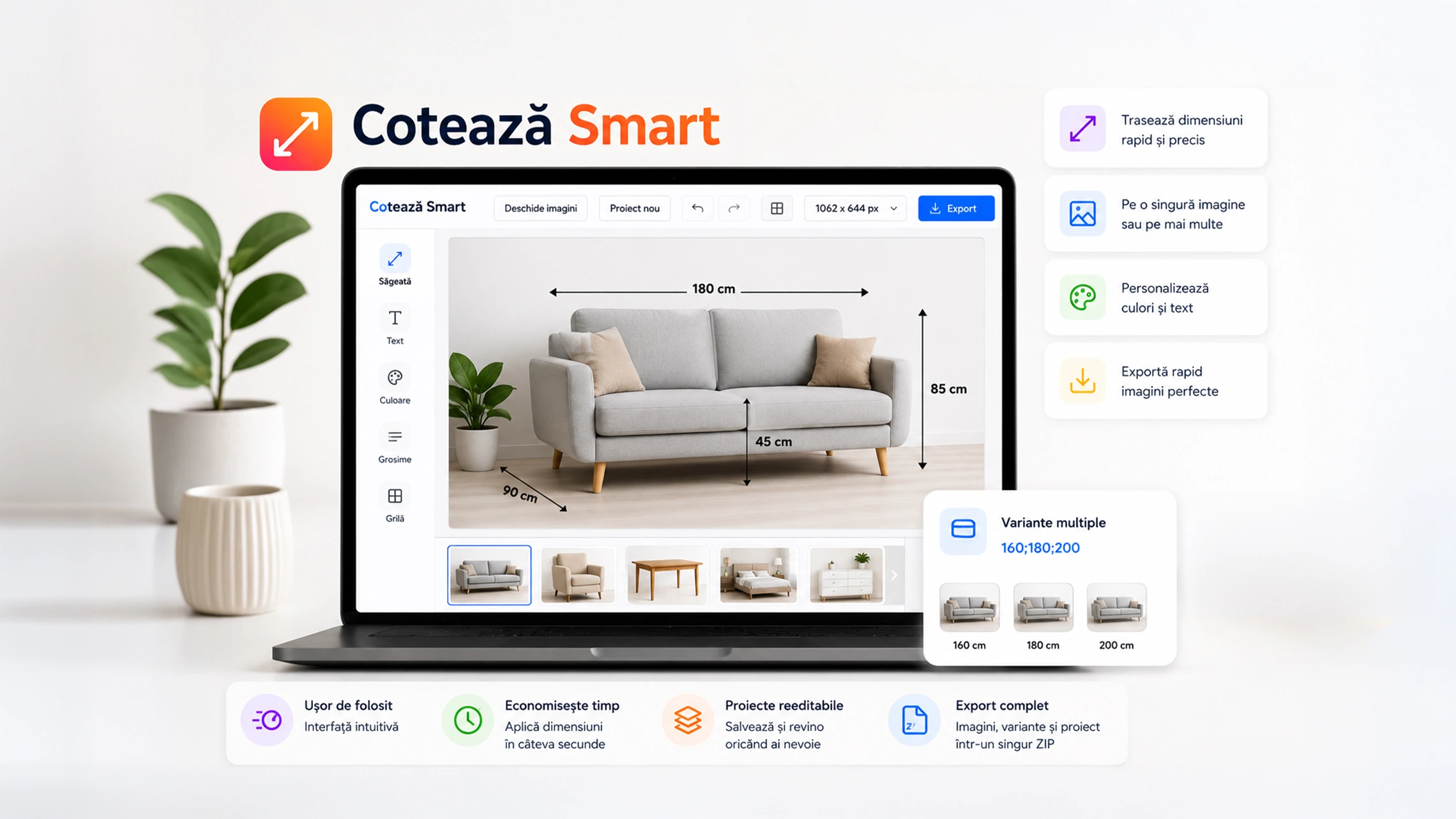
Cotează Smart – online tool for adding dimensions to images
Cotează Smart is an online tool created for anyone who needs to quickly add dimensions, arrows and visual notes to product images, sketches or technical photos.
The application works directly in the browser, without installation, and can be used for product image annotation, furniture dimensions, explanatory sketches or visual presentations.
What you can do with Cotează Smart
Cotează Smart helps you clearly mark the important dimensions in an image. You can draw arrows, add values such as length, width, height or depth, and export the final image in a format ready for publishing.
It is especially useful when you want to visually explain the dimensions of a product without using complex graphic editing software.
Main features
• Upload one or multiple images
• Open an entire image folder
• Draw dimension arrows directly on the image
• Add custom values for each arrow
• Use units such as mm, cm or m
• Change arrow color to black, white or a custom color
• Adjust font size, line thickness and text style
• Use zoom for more precise editing
• Apply the same dimension arrows to all uploaded images
• Export final images in a ZIP archive
• Save the JSON project for later editing
Fast export for product images
One important advantage of the application is ZIP export. Cotează Smart can save the original images, the edited images and the project file, so you can return later to adjust the dimensions without starting from scratch.
This feature is useful when working with multiple similar images or products that have different size variations.
Image framing and padding
The application includes options for fitting images into a standard size. For example, images can be prepared for a 1062 x 644 px working format, while the product can be framed using adjustable padding.
This helps create clean and consistent images, suitable for articles, online stores or visual presentations.
Precise control over arrows
Arrows can be selected, moved, duplicated or deleted. For more precise adjustments, the application allows arrow rotation and text alignment with the direction of the arrow.
Useful shortcuts are also available, such as Ctrl + Z for undo, Delete for removing a selected arrow or Alt for rotating the selected arrow.
Who the application is useful for
Cotează Smart is suitable for:
• online stores that publish product images
• people working with furniture or measurable objects
• content creators who need explanatory images
• website administrators who want clearer visuals
• users who want to add dimensions quickly without complex software
How to use it
- Open one or multiple images.
- Drag the mouse over the image to create an arrow.
- Enter the desired dimension.
- Adjust the color, line thickness and text size.
- Repeat the process for all important dimensions.
- Export the final image or ZIP archive.
Why it is worth using
Instead of manually editing images in a complex graphic design program, Cotează Smart provides a fast and intuitive way to add dimensions to images. Everything works directly in the browser, and the result can be exported quickly for use on websites, in articles or in presentations.
For products where dimensions matter, a correctly annotated image can reduce confusion and make the information much easier to understand.