What is WebP and why should you use it?
WebP is a modern image format developed by Google that significantly reduces file size while maintaining high visual quality. Using WebP images improves website loading speed and helps with SEO rankings.
Free and unlimited usage
This application is completely free and has no limits on the number of images you can process. You can use it for personal or professional projects without restrictions.
Simple and intuitive interface
The conversion process is extremely easy:
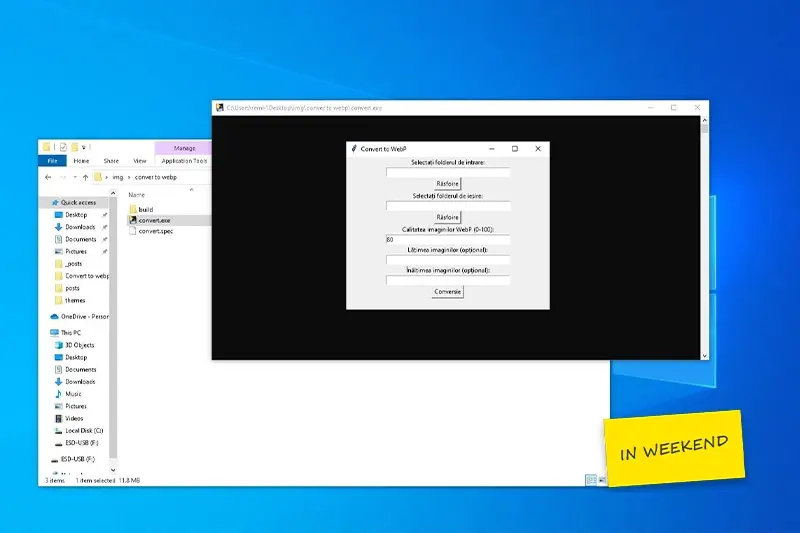
After downloading and extracting the archive, simply open the file convert.exe. The application launches instantly and provides a clean and intuitive interface.
Step 1: Select your image folder
Choose the folder containing the images you want to compress. The app allows fast navigation through your file system, making it easy to locate your files.
Step 2: Choose output folder
Select where the converted WebP images will be saved. This helps you keep your files organized and separate from the originals.
Optional: Customize compression settings
You can adjust:
- Image quality (to reduce file size)
- Width and height (to standardize dimensions)
These options are useful if you optimize images for websites, eCommerce, or blogs.
Key benefits of using this tool
- Smaller image sizes
- Faster website loading speed
- Improved SEO performance
- Better user experience
Why WebP matters for SEO
Search engines like Google prioritize fast-loading websites. By converting images to WebP, you reduce page weight and improve Core Web Vitals, which directly impacts your ranking.
This free WebP converter is an efficient solution for anyone who wants to optimize images quickly and without effort. Whether you run a blog, an online store, or simply want to save storage space, this tool will help you achieve better performance without sacrificing quality.